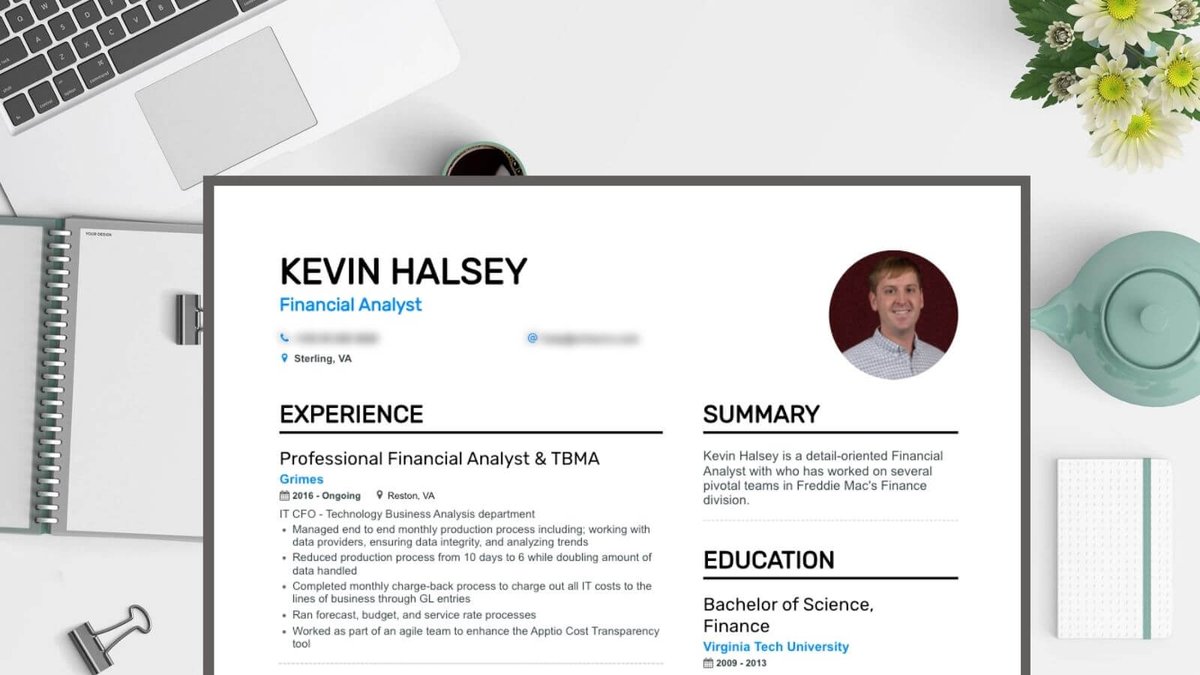
Up to 75% of resumes are rejected before ever reaching a human recruiter. And if yours does make it, you're competing for a mere 7.4 seconds of attention. This isn't just a statistic; it's the harsh reality of today's job market, underscoring why Choosing the Best Resume Summary Format and Type isn't merely an administrative task—it's a critical strategic decision that can make or break your job search. Your resume is more than a list of past jobs; it's your personal marketing document, meticulously crafted to tell your professional story in a way that resonates with both unforgiving Applicant Tracking Systems (ATS) and discerning hiring managers.
Getting it right means understanding the subtle nuances of format, structure, and presentation. It means knowing when to highlight your steady career progression versus when to pivot and emphasize transferable skills. In a landscape where technology acts as the first gatekeeper, and human attention is a precious commodity, your resume's format is your first, best chance to stand out.
At a Glance: What You'll Learn
- The Big Three Formats: Understand the strengths and weaknesses of Reverse Chronological, Functional, and Hybrid resumes.
- ATS Mastery: How to make your resume compatible with automated screening software.
- Your Best Fit: Match your career level, experience, and job goals to the ideal resume format.
- Crafting Impactful Summaries: Differentiate between professional summaries and objective statements, and when to use each.
- Best Practices: Essential tips for fonts, margins, conciseness, and submission for a polished, professional look.
Why Your Resume's Format is a Non-Negotiable Strategy
Before we dive into the specifics, let's understand the stakes. In 2026, the digital gatekeepers—Applicant Tracking Systems (ATS)—are more prevalent and sophisticated than ever. These software programs scan, sort, and filter resumes based on keywords, structure, and formatting, often before a human ever lays eyes on them. A poorly formatted resume, one with complex graphics, non-standard headings, or an unconventional structure, can be instantly filtered out, regardless of how qualified you are.
Once past the ATS, your resume lands on a recruiter's desk (or screen). They’re typically sifting through hundreds of applications for a single role. Their average glance time? A staggering 7.4 seconds. In that fleeting window, your resume must communicate your value, highlight your most relevant achievements, and clearly articulate why you're the ideal candidate. This means a clear, readable, and strategically formatted document isn't a luxury; it's a necessity. It’s about creating a smooth, intuitive reading experience that guides the recruiter’s eye to your most impressive attributes.
The Big Three: Understanding Resume Formats
Choosing the right format is like selecting the perfect outfit for a high-stakes interview—it sets the tone, communicates professionalism, and highlights your best features. Each of the three primary resume formats serves a distinct purpose, designed to emphasize different aspects of your career journey.
1. The Reverse Chronological Resume: The Industry Standard
The reverse chronological format is, without a doubt, the most popular and widely accepted resume structure. It's the format most recruiters and, critically, most ATS, are built to understand.
- What It Is: This format lists your work history in reverse chronological order, starting with your most recent position and working backward. Each entry typically includes your job title, company name, location, dates of employment, and a series of bullet points detailing your responsibilities and achievements. It also prominently features your professional summary (or objective), skills, and education.
- Why Recruiters Love It: Recruiters appreciate its straightforward nature. It quickly shows career progression, employment stability, and the evolution of your responsibilities. They can easily trace your trajectory and see how your experience aligns with the job requirements. For ATS, its predictable structure makes parsing information much smoother.
- Pros:
- Highlights Career Progression: Clearly demonstrates upward mobility, increased responsibilities, and skill development over time.
- ATS-Friendly: Its standard structure is easily parsed by most Applicant Tracking Systems, ensuring your resume gets through.
- Proves Experience: Ideal for showcasing a stable work history and impressive employers.
- Familiar: It's the format recruiters are most accustomed to, making it easy for them to find the information they need quickly.
- Cons:
- Exposes Gaps: Employment gaps or frequent job changes become immediately apparent and can raise questions.
- De-emphasizes Transferable Skills: If you're looking to switch careers, this format might not effectively highlight skills gained in previous, seemingly unrelated roles.
- Not Ideal for "Squiggly" Paths: Less suitable for those with diverse, non-linear career paths or periods of self-employment that don't fit neatly into traditional job titles.
- Ideal For:
- Most Professionals: If you have a relatively stable work history with clear progression within your industry.
- Mid-Level & Experienced Professionals: Those with 5+ years of experience who want to showcase their growth and accomplishments.
- Leadership Roles: Professionals vying for management or executive positions, as it effectively demonstrates a track record of increasing responsibility and impact.
2. The Functional Resume (Skills-Based): The Niche Player
The functional resume takes a different approach, prioritizing your skills and abilities over a strict chronological work history. While it has its specific use cases, it's generally viewed with more skepticism by recruiters and can pose challenges for ATS.
- What It Is: Instead of detailing job responsibilities under each employer, this format groups your relevant skills into thematic categories (e.g., "Project Management," "Data Analysis," "Client Relations"). Under each skill category, you provide bullet points showcasing achievements and experiences related to that skill, regardless of when or where you acquired them. Your actual work history is often condensed to just company names, job titles, and dates, typically placed at the bottom.
- Why It's Tricky: While it allows for creative skill emphasis, the lack of immediate context regarding when and where those skills were developed can make recruiters wary. They might wonder what you're trying to hide. ATS can also struggle to parse the information, as it deviates from the expected chronological structure, potentially leading to your resume being overlooked.
- Pros:
- Highlights Transferable Skills: Excellent for career changers who need to emphasize how their existing skills apply to a new industry or role.
- Masks Employment Gaps: By de-emphasizing dates, it can strategically obscure periods of unemployment or frequent job changes.
- Great for Limited Experience: Recent graduates, freshers, or those re-entering the workforce can showcase their relevant coursework, volunteer work, or project skills upfront.
- Focus on Competencies: Allows you to direct attention to your most valuable abilities rather than specific job titles.
- Cons:
- Recruiter Skepticism: Can raise red flags for recruiters who prefer to see a clear career trajectory.
- ATS Challenges: Often struggles with ATS parsing due to its non-standard structure, making it harder for automated systems to extract job titles and dates.
- De-emphasizes Longevity: Doesn't effectively showcase a long, stable career or upward mobility within a specific company.
- Ideal For:
- Freshers/Recent Graduates: When you have limited traditional work experience but possess relevant skills from academic projects, internships, or volunteer work.
- Career Changers: When you need to demonstrate how skills from one industry are applicable to another.
- Returning to the Workforce: Individuals with significant employment gaps who want to focus on their current skill set rather than outdated experience.
3. The Hybrid (Combination) Resume: The Best of Both Worlds
The hybrid, or combination, resume is often considered the most versatile and can be highly effective for specific career situations, particularly for senior roles or career transitions. It attempts to mitigate the cons of the other two formats.
- What It Is: This format typically begins with a robust "Summary of Qualifications" or "Professional Profile" section that highlights your key skills and achievements (similar to the functional approach). This is followed by a concise yet ATS-friendly reverse chronological work history section, detailing your most relevant experience.
- Why It's Gaining Traction: It offers the flexibility to emphasize your most relevant skills and accomplishments upfront, while still providing the chronological context that recruiters and ATS prefer. It tells a comprehensive story, showcasing both what you can do and where you've done it.
- Pros:
- Blends Strengths: Combines the skill-forward approach of the functional resume with the chronological stability of the traditional format.
- Showcases Both Skills & Accomplishments: Allows you to highlight a diverse skill set alongside concrete career achievements.
- ATS-Acceptable: Generally more ATS-friendly than a purely functional resume because it still includes a clear chronological work history.
- Versatile: Suitable for a wide range of professionals, especially those with diverse experiences or those looking to make a career pivot.
- Cons:
- Can Be Longer: If not carefully crafted, it can become overly long or repetitive if skills are duplicated in the summary and work history sections.
- Requires Careful Editing: Demands precise wording and strong editorial judgment to ensure conciseness and avoid redundancy.
- Still Not for Extreme Gaps: While it handles minor gaps well, significant, prolonged employment gaps might still be better addressed with a purely functional approach (though this risks recruiter skepticism).
- Ideal For:
- Senior Professionals & Executives: Blends strategic leadership accomplishments with a detailed career trajectory. It allows you to lead with your biggest wins and most relevant skills.
- Experienced Career Changers: Succeeds more often than a purely functional resume by balancing transferable skills with a clear, ATS-compatible work history.
- Professionals with Diverse Responsibilities: Individuals whose roles have involved a wide array of skills and projects, allowing them to categorize and highlight those effectively.
Beyond the Type: Choosing Your Best Resume Format
Selecting the right resume format isn't a one-size-fits-all decision. It's a strategic choice based on your unique career story, the type of job you're targeting, and the industry you're pursuing. Here's a framework to guide your decision:
1. Assess Your Career Level
- Entry-Level/Fresher: If you're fresh out of college, just starting your career, or have limited professional experience, a functional or hybrid format is often your best bet. Focus heavily on your skills acquired through coursework, internships, volunteer work, or personal projects. Highlight relevant education, certifications, and any accomplishments that demonstrate your potential.
- Mid-Level Professionals: With several years of experience and a clear career path, the reverse-chronological format is typically ideal. It showcases your growth, achievements, and increasing responsibilities, proving your value to potential employers.
- Senior Professionals/Executives: For those with extensive experience, significant leadership accomplishments, and a desire to make a strategic impact, a hybrid format is powerful. Lead with a compelling "Executive Summary" that blends your strategic skills and biggest achievements, followed by a streamlined chronological history that validates your expertise.
2. Consider Your Career Path & Goals
- Stable Career Progression: If you've had a consistent career path within one or a few companies, with clear upward movement, the reverse-chronological format is your natural choice. It tells a coherent story of advancement.
- Making a Career Change: This is where functional and hybrid resumes shine.
- A functional resume can be used to emphasize transferable skills from previous roles that are relevant to your new desired career, downplaying roles that might seem unrelated. Use this with caution, as it can be a red flag for some recruiters.
- A hybrid resume is often a safer and more effective choice for career changers. It allows you to open with a strong summary of your transferable skills and relevant experience, followed by a concise work history that still provides chronological context. This balances emphasis on new skills with the preferred ATS structure.
- Employment Gaps or Frequent Job Changes: If you have significant gaps in your work history or have hopped between jobs frequently, a functional or hybrid format can help you de-emphasize the dates and focus on your continuous skill development. Again, the hybrid is generally preferred by recruiters as it still offers some chronological context.
3. Industry & Company Culture
While most industries prefer the reverse-chronological format, some creative fields (e.g., design, arts) might be more open to unique formats, portfolios, or functional approaches. Always research the industry and specific company culture. When in doubt, default to a more traditional, ATS-friendly approach.
4. The ATS Compatibility Test: Your First Gatekeeper
No matter your career stage or goals, ATS compatibility is paramount. Up to 75% of resumes are rejected by ATS before a human even sees them. To ensure your resume clears this hurdle:
- Embrace Standard Formats: The reverse-chronological format in Word (.docx) is the gold standard for ATS. While PDFs are often requested for final submission to preserve formatting, ensure your initial draft is in a clean, parsable .docx format if the system allows for both.
- Use Standard Section Headings: Stick to universally recognized headings like "Experience," "Skills," "Education," "Professional Summary," and "Contact Information." Avoid creative but obscure headings that ATS might not recognize.
- Keywords are King: Integrate keywords directly from the job description naturally into your resume, especially in your professional summary and experience sections. ATS scans for these.
- Avoid Complex Layouts: Stay away from fancy graphics, images, tables, text boxes, or columns. These can confuse ATS, causing it to misinterpret or omit crucial information. Keep it clean, simple, and linear.
- Font Choice Matters (for ATS too!): While aesthetic, thin or "light" fonts can be difficult for ATS to process and interpret correctly. Stick to clear, standard, non-decorative fonts.
Crafting Your Resume Summary: The Headline of Your Career
The "summary" in your resume isn't just about the overall format; it also refers to the brief, powerful statement at the very top of your document. This is your professional headline, designed to grab attention and quickly convey your value. Depending on your experience and goals, this will either be a Professional Summary or an Objective Statement.
Professional Summary: For Experienced Professionals
A professional summary (also called a "summary of qualifications" or "professional profile") is a 3-4 sentence paragraph or a concise bulleted list that highlights your most impressive qualifications, skills, and achievements relevant to the job you're applying for. It's designed for experienced professionals who have a track record to showcase.
- When to Use It: Mid-level, senior, or executive professionals, or anyone with significant relevant experience.
- What it Does: Quickly tells the recruiter why you're a perfect fit for this specific role, acting as an elevator pitch for your entire resume.
- Key Elements:
- Who you are: Your job title/specialty.
- What you bring: 2-3 key skills or areas of expertise.
- Your biggest achievements: Quantifiable results or significant impact.
- Your value proposition: How you can benefit the employer.
- Example (Senior Marketing Manager): "Dynamic Senior Marketing Manager with 10+ years of experience leading award-winning campaigns and driving significant revenue growth for global tech brands. Proven expertise in digital strategy, brand development, and team leadership, consistently exceeding KPIs by an average of 25%. Seeking to leverage strategic insights and innovative approaches to boost market share for [Company Name]."
Objective Statement: For Newcomers & Career Changers
An objective statement is a one to two-sentence declaration of your career goals, typically focusing on what you're looking for in a role and how you aim to contribute to the company. It's generally used when you have limited experience or are making a significant career pivot.
- When to Use It: Recent graduates, freshers, individuals with employment gaps, or career changers.
- What it Does: Clearly states your intentions and demonstrates enthusiasm and clarity about your career path, showing the recruiter you know what you want.
- Key Elements:
- Your desired role/field: Be specific.
- Your relevant skills/qualities: What you bring to the table.
- Your goal within the company: How you plan to contribute.
- Example (Recent Graduate, Marketing): "Highly motivated Marketing graduate with a strong grasp of digital analytics and content creation, seeking an entry-level Marketing Coordinator role at [Company Name]. Eager to apply analytical skills and a passion for engaging storytelling to contribute to innovative campaigns and achieve measurable business growth."
- Pro-Tip for Career Changers: Make sure your objective highlights transferable skills relevant to your new target industry.
Creating a compelling summary can be challenging. Sometimes, using a structured tool can help you identify your strongest points and articulate them effectively. You might find a resume summary generator useful to brainstorm ideas and refine your statement, ensuring it's impactful and keyword-optimized.
Resume Formatting Best Practices: Polishing Your Professional Image
Beyond choosing the right type, the visual presentation of your resume is paramount. Think of it as the packaging for your professional brand. These best practices ensure readability, professionalism, and ATS compliance.
1. Font Choices: Legibility and Professionalism First
Your font is the visual voice of your resume. Choose wisely.
- Go Pro & Legible: Stick to clean, professional, and widely recognized fonts. Good choices include Helvetica, Calibri, Arial Narrow, Georgia, Avenir, Cambria, Constantia, Corbel, Franklin Gothic, Garamond, and Gill Sans. Avoid overly decorative or whimsical fonts.
- Size Matters:
- Body Text: 10-12 points for most of your content.
- Section Headers: 12-14 points to create visual hierarchy and guide the reader's eye.
- Your Name: Can be larger (18-24 points) to stand out.
- Avoid "Light" or "Thin" Fonts: While aesthetically pleasing in some designs, these can be difficult to read on screen and confusing for ATS software to parse correctly. Prioritize clarity.
- Consistency is Key: Use 1-2 fonts throughout your resume. One for headings and one for body text is a classic, clean approach.
2. Margins and Spacing: Cleanliness and Breathability
White space is your friend; it makes your resume less daunting and easier to scan.
- Standard Margins: Aim for one inch on all sides (top, bottom, left, right). This is the professional standard.
- Adjust if Needed: If you need more space, you can reduce margins to .75 inches, but never go below .5 inches. Any less, and your text might be cut off when printed or rendered on different systems.
- Alignment: Left-align most of your text for readability. Center-align only your name, contact information, and perhaps a headline if it aesthetically fits your design.
- Line Spacing: Use single-line spacing for bullet points and text blocks. Add a blank line between entries or sections to improve readability and visual separation.
3. Conciseness: Quality Over Quantity
Recruiters spend seconds, not minutes. Every word must earn its place.
- One Page Rule: Ideally, keep your resume to one page, especially for entry-level and mid-level professionals. For senior professionals with 10+ years of experience, two pages can be acceptable, but only if every piece of information is highly relevant and impactful.
- Trim the Fat: Ruthlessly cut irrelevant information, redundant phrases, and generic filler. Ask yourself: "Does this add value to my candidacy for this specific job?"
- Combine Points: If you have several short, related achievements, try to combine them into a single, powerful bullet point.
- Action Verbs: Start every bullet point with a strong action verb (e.g., "Managed," "Developed," "Led," "Achieved," "Implemented").
- Quantify, Quantify, Quantify: Whenever possible, use numbers, percentages, and metrics to demonstrate the impact of your achievements (e.g., "Increased sales by 15%," "Managed a budget of $500K," "Led a team of 5").
- Bullet Points: Use bullet points for three or more pieces of information (experience, skills, education) to list achievements effectively and improve scanability.
4. Objective/Professional Summary Statement Placement
- Location: Place your objective statement or professional summary at the very top of your resume, just under your name and contact information. This is prime real estate.
- Clarity: Use a clear heading like "Professional Summary," "Summary of Qualifications," or "Career Objective."
5. Graphic Elements: Less is More
While visual appeal is important, functionality trumps flair when it comes to resumes.
- Use Bold & Italics Wisely: Use bold or italicized text sparingly for section headings, job titles, or company names to draw attention and improve scanability. Overuse can make your resume look cluttered.
- Avoid Lines & Boxes: Steer clear of inserting horizontal or vertical lines that span across the page, complex graphics, or text boxes. These elements can cause significant ATS errors, leading to vital information being misinterpreted or discarded.
- No Photos (Unless Requested): Generally, do not include a headshot or photo of yourself unless it is explicitly requested or is standard practice in your target country/industry (e.g., some parts of Europe or Asia). For most roles in the US, it's unnecessary and can introduce bias.
6. Submission Format: PDF is Usually Best
When given the option, always submit your resume in PDF format.
- Preserves Appearance: PDFs ensure that your resume's formatting, fonts, and layout remain consistent across different systems and devices. What you see is what the recruiter sees.
- Prevents Modification: It prevents accidental (or intentional) modifications to your document.
- Check Requirements: Always double-check the job posting for specific submission instructions. If they explicitly ask for a Word document (.docx), provide that, but be mindful of complex formatting.
7. Get Feedback & Proofread Relentlessly
The human eye is remarkably good at missing its own mistakes.
- Multiple Eyes: Always ask trusted friends, colleagues, mentors, or professional resume reviewers to proofread your resume. A fresh pair of eyes can catch grammatical errors, spelling mistakes, awkward phrasing, and formatting inconsistencies that you've overlooked.
- Read Aloud: Reading your resume aloud can help you identify clunky sentences, repetitive words, and areas where the flow is off.
- Check Against JD: Have someone else compare your resume against the job description to ensure you've addressed all key requirements and keywords.
Common Pitfalls to Avoid
Even with the best intentions, it's easy to fall into common resume traps. Guard against these:
- Generic Summaries: A "Results-oriented professional seeking new challenges" summary is a waste of prime real estate. Tailor your summary to each specific job, highlighting skills and achievements directly relevant to the role.
- Poor Keyword Optimization: Not including keywords from the job description is a fast lane to ATS rejection. Don't just list keywords; integrate them naturally into your bullet points and summary.
- Over-reliance on Functional Format: While useful for career changers, a purely functional resume should be used with extreme caution. It often raises red flags for recruiters who suspect you're hiding something. Opt for a hybrid if possible.
- Information Overload: Packing too much text onto a page, using tiny fonts, or cramming in irrelevant jobs. Less is often more; focus on quality and impact.
- Typos and Grammatical Errors: These instantly undermine your professionalism and attention to detail. Proofread, proofread, proofread.
- "Responsibilities" vs. "Achievements": Don't just list what you did; explain what you achieved and the impact you made. Use action verbs and quantifiable results.
- Outdated Contact Info: Ensure your phone number, email, and LinkedIn profile link are current and clickable.
Your Next Steps: Building Your Winning Resume
Choosing the best resume summary format and type isn't a passive decision; it's an active step in controlling your career narrative. By strategically aligning your resume's structure with your experience, career goals, and the demands of modern hiring, you significantly increase your chances of standing out.
Take the time to honestly assess your professional journey:
- Do you have a clear, linear career path?
- Are you making a significant pivot?
- Are there gaps you need to navigate strategically?
Once you have clarity, choose the format that best showcases your unique value proposition. Then, meticulously apply the formatting best practices, ensuring every element—from font choice to margin width—contributes to a clean, professional, and impactful document. Your resume is your advocate; empower it to tell your story effectively and open doors to your next great opportunity.